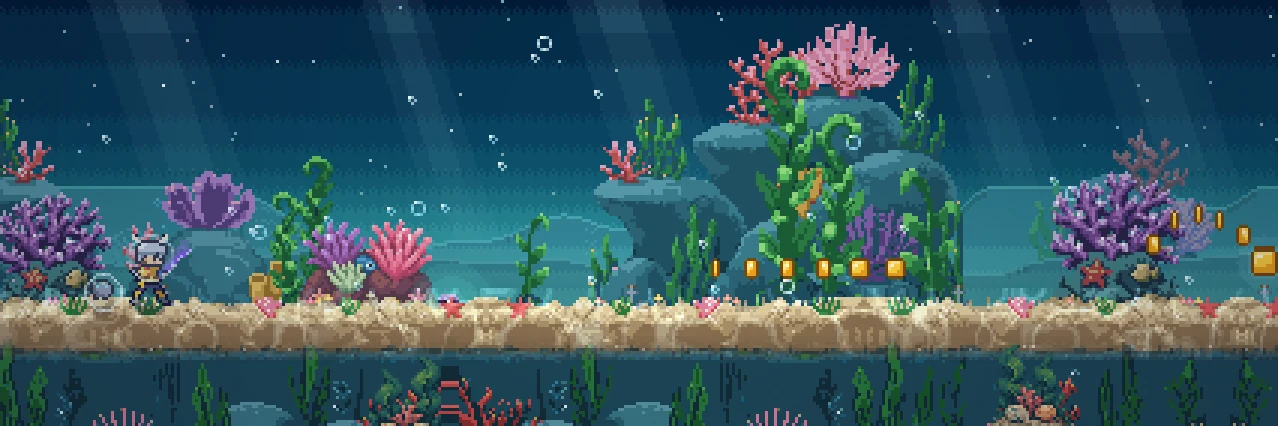
You don't need to download anything: Hoard Road plays in your browser on a PC or a phone at playhoardroad.com/play, and you don't need an account to start. On a phone you can add it to your home screen, and then it opens full screen like an app and plays offline.
On iPhone you can also get it from the App Store, and on Android from Google Play. The Android app signs in with Google or Discord like the browser game, so it shares your save; the iPhone app does too, and also offers Apple (an Apple sign-in can link Google in Settings to share the save). A Steam version is on the way, but it doesn't have a release date yet.
Can I play Hoard Road in my browser?
Yes. That's how it plays today. Open playhoardroad.com/play on a computer or a phone and the road starts right away. You don't install anything, and you don't sign up for anything.
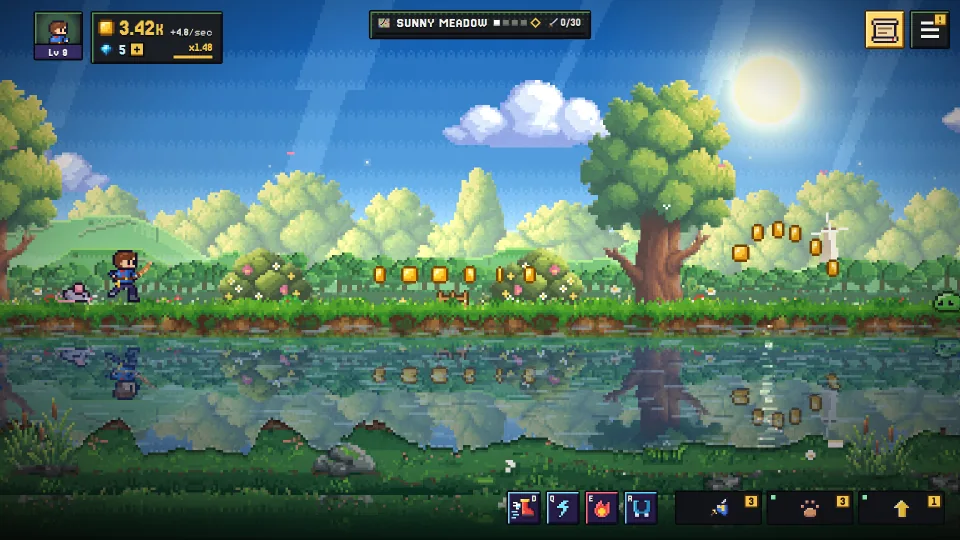
Some things to know before you start:
- It's free. You can play the whole game for free, and you earn gems for the Gem Shop by playing.
- Your save stays in that browser. If you don't sign in, your progress lives only in the browser you're using, on that device. Switch browsers or devices and it won't come along. The cloud save section below fixes that.
- The hero plays on their own. Your hero runs the road and fights by themselves. You pick the upgrades, jump for coins, take on the guardians and raise your pals.
If you want a walk through the first few minutes, our beginner's guide and the wiki's getting started page cover them.
How do I add Hoard Road to my phone's home screen?
Your phone can save Hoard Road as an icon that opens like an app. Here's how:
| Browser | What to tap |
|---|---|
| Safari (iPhone) | Open playhoardroad.com/play, tap Share, then Add to Home Screen |
| Chrome (Android) | Open playhoardroad.com/play, open the menu, then tap Install app |
Once it's there, the game opens full screen, without the browser's address bar, and it plays offline. That makes it handy on a train or anywhere else with patchy signal.
It takes a few seconds, and you never visit an app store. If you'd rather have the store version, the iPhone and Android apps are listed further down.
How do I keep one save on PC and phone?
Sign in. Open the Menu (the three bars, top right), go to Settings > Cloud save, and sign in with Google or Discord. From then on your save goes with you between your PC and your phone. Use the same account on each device.
Signing in also matters for a few other things:
- Discord sign-in adds you to the Hoard Road Discord too.
- Started with Google? You can link Discord later in Settings > Cloud save.
- Codes from events, partners and creators need you to be signed in. You enter them under Settings > Redeem a code, and they give you gems and looks.
If you play on more than one device, sign in early. A save that only exists in one browser is easy to lose track of. Our guide to idle games with one save on PC and phone explains why this matters across the genre.
Is Hoard Road on Steam, iPhone or Android?
On iPhone and Android, yes. Here's where each one stands:
| Platform | Status |
|---|---|
| Browser (PC and phone) | Play now at playhoardroad.com/play |
| Steam | Coming, no release date |
| iPhone (App Store) | Out now: App Store (Apple, Google or Discord; Google or Discord share the browser's save) |
| Android (Google Play) | Out now: Google Play (signs in with Google or Discord, the same save as the browser) |
We'll update this page when the Steam version opens. On a PC, the browser game needs no install.
What are the controls?
Hoard Road works with a mouse and keyboard, a controller, or touch. Jumping is the only thing you really need. Everything else is about using the menus faster.
Mouse and keyboard - Jump: Space, W, Up, or a click. Hold it to jump higher. - Dash Strike: Shift, D, or right-click, once your Boots are upgraded far enough. - Abilities: Q, E, R, F, T, V, once you learn them on the Star Map. - Shop: Tab moves to the next shop tab. 1 to 5 set how many you buy at once. - Other: M mutes. Esc closes a window, or opens Settings when nothing is open.
Controller - A jumps, X dashes, the D-pad chooses, Y buys, LT and RT change shop tabs, and Start opens Settings.
Touch - Tap the road to jump, and hold to jump higher. Tap a shop tab to open it, and tap a delivery pelican in the sky to get its parcel.
The full list of keys, including shortcuts for the Collection, the Gem Shop and Expeditions, is on the wiki's getting started page.
Questions
Is there a Hoard Road APK or app to download?
Yes: Hoard Road is on the App Store for iPhone and on Google Play for Android. We don't put out an APK of our own, so get the Android app from Google Play. Or, on any phone, you can add the browser game to your home screen (Safari: Share, then Add to Home Screen; Chrome: menu, then Install app), and it opens full screen like an app.
Does Hoard Road work offline?
Yes, once you've added it to your phone's home screen. It then opens full screen and plays without a connection. That's handy anywhere your signal comes and goes.
Do I need an account to play?
No. You can start playing straight away without signing up. If you don't sign in, though, your save stays in that one browser on that one device, so sign in with Google or Discord (Settings > Cloud save) if you want it on your PC and your phone.
Does my progress keep going while the game is closed?
Partly. Your hero stops running while the game is closed, but your pals keep earning a share of their coins: at first that's 25% for up to 8 hours, and the Star Map, the hourglass treasures, the Camp upgrades and your Prestige Level raise both. Expeditions run by the clock, and a daily gift waits each day you come back.
Is Hoard Road free?
Yes. You can play the whole game for free, and you earn gems by playing. There's also a small free gem pack once a day in the Gem Shop's Get gems tab. Signed-in players on the web can buy gem packs and a monthly Hoard Pass, and nothing sold, for money or gems, is a random draw.
To try it, open playhoardroad.com/play and let your hero run a few stages.