The idle games that keep your save safe store it on a server, tied to an account you sign in to, not only in your browser. Melvor Idle, Legends of IdleOn and the Steam version of Cookie Clicker all keep saves in the cloud, and so does Hoard Road, the game we make, once you sign in with Google or Discord. Before you put weeks into any idle game, check where its save lives and whether you can keep a copy yourself.
Where does an idle game keep your save?
Almost every idle game uses one or more of three places.
| Where | How it works | What can go wrong |
|---|---|---|
| Your browser | The game writes your progress into the browser's storage on that device | Clearing site data, a private window, or a new browser or device, and it's gone |
| Exported text | You copy a long string of text and paste it somewhere safe | It's only as fresh as your last export |
| The cloud | The save goes to the game's servers (or a platform's, like Steam), tied to an account | You have to sign in, and some clouds only work on one platform |
Cookie Clicker in the browser shows the first two nicely. It saves to the browser's cache automatically every 60 seconds, and its Export save button shows your whole save as a string you can copy and later paste back with Import save.
If you've lost an idle save before, it was very likely a browser save. Nothing crashed. A cleanup tool cleared your browsing data, you switched laptops, or you played in a private window that forgot everything when it closed.
Is cloud save the same as one save on every device?
Not always, and this is the part that catches people out.
Some games save to a platform's cloud: Steam, Google Play or Apple. That protects you from a dead hard drive or a new phone on the same platform, but it doesn't carry your save anywhere else.
Other games run their own accounts, so the save follows you to any device where you sign in. Both kinds beat a browser-only save. Only the second lets you play on a PC at lunch and pick up the same run on your phone that evening. Our guide to idle games with one save on PC and phone goes deeper on that.
What should you check before you get invested?
Five minutes of checking now saves a lot of grief later.
- Is there a sign-in? Look in the settings for words like "cloud save", "account" or "sync". No sign-in usually means a local save.
- Which versions share it? The store page or the game's FAQ normally says. A browser version, a Steam version and a phone app can each keep their own save.
- Can you export? A text backup you keep yourself is cheap insurance, even in a game with cloud save. Paste it into a note or an email to yourself.
- What happens before you sign in? Plenty of games let you start without an account and keep that progress only on the device. Sign in early, before you clear anything or change devices.
- Does the save need the internet? A cloud save has to reach the server at some point, so it's worth knowing what the game does when you're offline.
Which idle games have cloud save?
These are games whose own store pages or official sites describe the save setup. Each one handles it a little differently.
Melvor Idle
A skill-training idle game published by Jagex. Its Steam page lists cloud saving that works across all platforms, and the game's wiki explains that saves move between platforms either by hand or automatically through a Melvor Cloud account. If you want one save on a PC and a phone in a deep, long-haul idle game, this is a strong fit. We cover more like it in games like Melvor Idle.
Legends of IdleOn
An idle MMO where your characters keep working while you play someone else. Its Steam page lists an IdleOn account as required, and the official site offers it both on the web and on Steam, billed as cross platform. Since it's an online game built around an account, your progress isn't sitting in one browser waiting to be cleared. See games like Legends of IdleOn if it clicks for you.
Cookie Clicker (Steam version)
The classic, first released in 2013. Its Steam store page lists cloud saving, with a wink about no more deleting cookies by accident. If you play the free browser version instead, the save lives in your browser, so make a habit of using Export save and keeping the string somewhere safe. There's more in games like Cookie Clicker.
Hoard Road (ours)
Here is how saves work in the game we make, so you know exactly what you're getting.
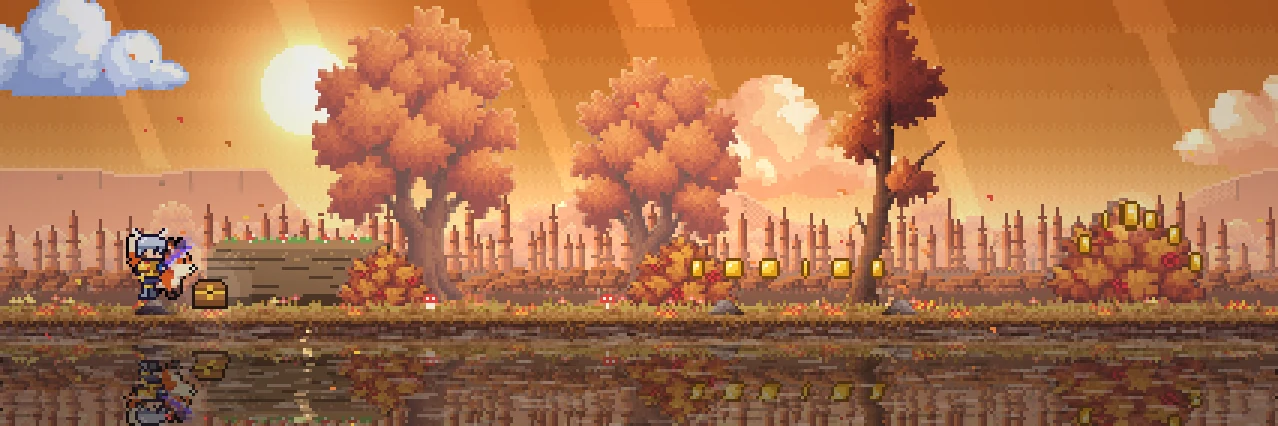
Hoard Road is a free pixel-art idle adventure. Your hero runs an endless road and fights on their own, while you choose the upgrades, take on the guardians and raise your pals. It plays in a browser on a PC or a phone at playhoardroad.com/play, with no download, and starting needs no sign-up.
- Without signing in, your save lives only in that browser on that device. That's fine for trying it out, but it has the same weak spots as any browser save.
- Sign in with Google or Discord (Menu > Settings > Cloud save) and your save follows you between your PC and your phone.
- Signed in with Google? You can link Discord too, in Settings > Cloud save.
- The iPhone app shares it too. Hoard Road is also on the App Store: sign in there with Google or Discord, or with Apple and then link Google in Settings, and the same save plays in the app.
- So does the Android app. On Google Play, sign in with Google or Discord, as in the browser, and the same save follows you.
It's an idle game in the full sense, too: while the game is closed your pals keep earning a share of their coins (at first 25% for up to 8 hours), and Expeditions run by the clock. The step by step version is in our Hoard Road cloud save guide.
If you've been burned by a lost save before, sign in on your first day, and your run will be there on your PC and your phone alike.
Questions
Why did my idle game save disappear?
Usually because it was a browser save and something cleared the browser's data: a cleanup tool, clearing your history with site data ticked, or a private window. Switching browsers or devices has the same effect. A game with an account based cloud save avoids all of these, as long as you signed in.
Is cloud save the same as cross-platform save?
No. A cloud save protects your progress, but it may only work on one platform, such as Steam or one phone store. Cross-platform means the same save opens on different kinds of devices. Check the store page or FAQ for which versions share a save.
Should I still export my save if the game has cloud save?
If the game offers an export, yes. It takes a few seconds, and a text copy you control is a backup that doesn't depend on anyone's servers. Keep the newest one in a note or an email to yourself.
Does Hoard Road's iPhone app share a save with the browser version?
Yes, once you sign in with the same account. The iPhone app offers Google and Discord like the browser, and Apple too; an Apple sign-in can link Google in Settings so the browser opens the same save.
Do I need an account to play Hoard Road?
No, you can start playing in your browser without signing up. Without an account the save stays in that browser on that device, so sign in with Google or Discord whenever you'd like it backed up and shared between your PC and phone.